POS operations guide
Dance school package and attendance POS workflow
A dance school or dance studio sells classes, levels, teacher time, performance preparation and costume stock before it sells ordinary products. The POS workflow has to keep enrolments, monthly fees, class packages, attendance, make-up classes, workshops, deposits, event fees, costume sales, payment proof, refunds and owner reports clear enough for reception, instructors and parents.
Evidence and review scope
Evidence reviewed 2026-09-02. Reviewed current Posnic stable release boundary, archived customer, sale and item data models, and adjacent gym, yoga, sports academy, wellness and salon package guide patterns.
Stable release: v1.9.0, source commit 567a176. No complete dance-school deployment, class-booking calendar, attendance device or app, recurring mandate, instructor payroll, live student migration, child-data/privacy review, event management system or accepted pilot week is established by this page. Reproduced evidence remains pinned to an archived source snapshot.
What the current evidence establishes
Student and parent records exist
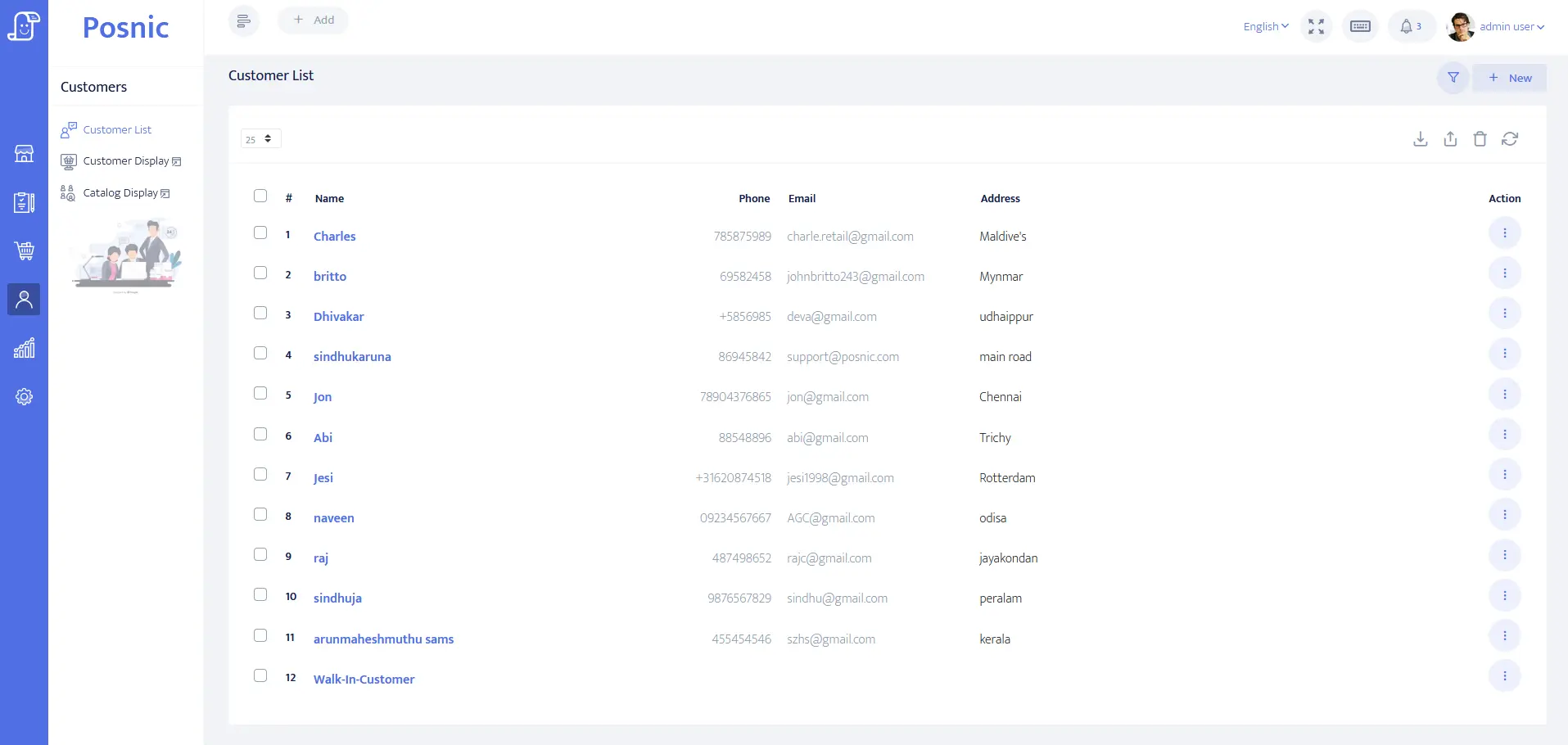
Pinned source evidence contains customer identity, address, balance and payment-term fields that can be evaluated for student or parent accounts. It does not prove consent management, child-data policy, attendance history or instructor notes.
Fee, package and payment records exist
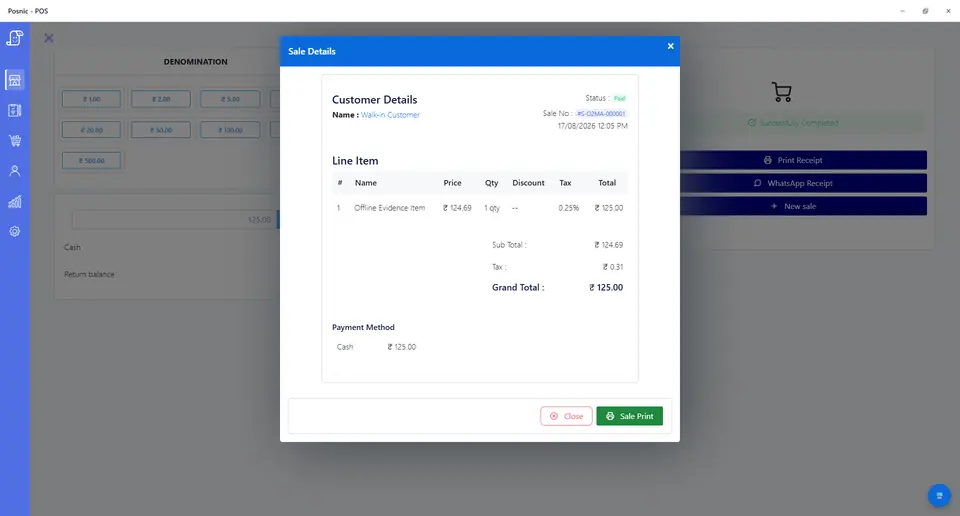
Sale records can hold monthly fees, class packages, workshops, event fees, costume sales, tenders and balances for synthetic tests. They do not prove automatic renewal, payment settlement or attendance automation.
Costume and merchandise stock evidence exists
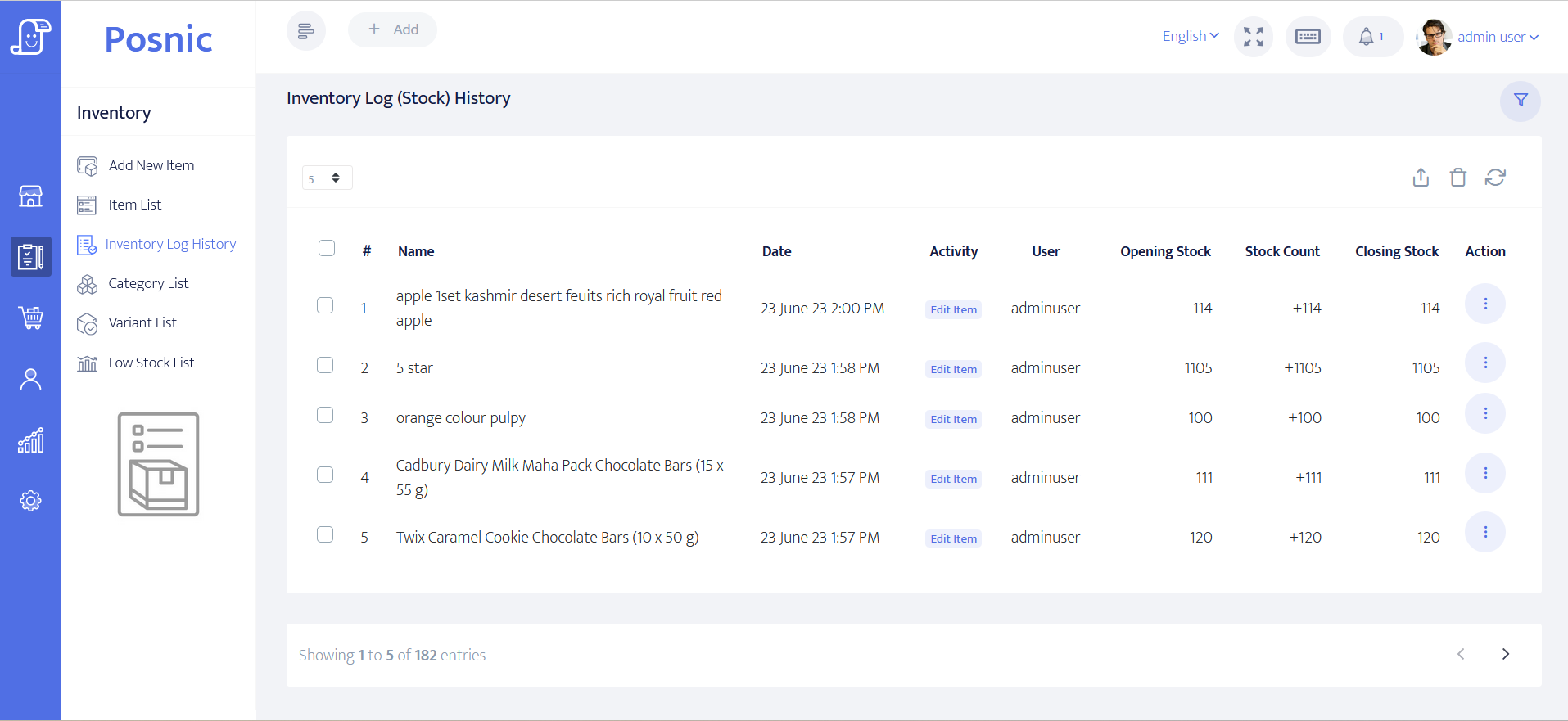
Item and stock-history paths can be inspected for costumes, uniforms, shoes, accessories and merchandise. Class access and unused sessions still need their own accepted process.
Attendance remains an operational control
Batch capacity, make-up class rules, instructor rosters, stage-event fees, reminders and online booking must be accepted against the exact dance-school workflow before automation is trusted.
Dance school POS controls before rollout
Dance schools often mix parents, students, batches, monthly fees, class packs, events and costume stock at one small reception desk. Keep each control separate so money, attendance and owed classes stay explainable.
| Area | Record to keep | Why it matters | Acceptance check |
|---|---|---|---|
| Student profile | Student, parent or guardian contact, level, batch, permitted follow-up, duplicate check and balance. | Reception needs the right account without putting private notes on receipts. | A student can be found and billed without exposing sensitive details. |
| Enrolment fee | Registration item, start date, level, batch, amount, payment state and staff owner. | Admission money should not be hidden inside the first monthly fee. | Enrolment is searchable separately from classes. |
| Monthly fee | Plan, month, validity dates, included classes, batch rule, payment state and due date. | Parents ask whether a student is active, expired, partial or unpaid. | Front desk can answer current fee status quickly. |
| Class package | Package size, sale date, expiry, used sessions, remaining sessions and transfer rule. | A class package is owed value until sessions are consumed or expire by rule. | Each attendance redemption links to the original package sale. |
| Attendance redemption | Class date, batch, level, instructor, attended/no-show state and package deduction. | Attendance is not the same as payment proof. | A session reduces only the accepted package. |
| Make-up class | Missed class, make-up allowance, expiry, exception reason and approver. | Make-up promises are easy to lose when they live only in chat. | Every make-up credit has a visible rule and owner. |
| Workshop or event | Capacity, deposit, balance, event fee, performance status, cancellation rule and refund state. | Shows and camps fail when bookings, deposits and balances are scattered. | Booked, paid, partial, cancelled and refunded states reconcile. |
| Costume stock | SKU, size, quantity, price, tax group, stock movement, issue state and exchange rule. | Costumes, uniforms and shoes are inventory, not class revenue. | Stock changes separately from service income. |
| Payment proof | Cash, card, wallet, bank transfer, manual proof, failed attempt, refund and balance due. | Attendance permission is not collected money. | Tender totals and unpaid balances reconcile before close. |
| Owner review | New students, renewals, dues, package balances, make-ups, events, refunds, instructor activity and costume stock. | Small studios leak revenue when review depends on notebooks and messages. | Owner sees money, attendance and remaining value together. |
Practical workflow
Attendance is not payment proof
A student may attend after paying online, paying at reception, using a package, taking a trial, receiving a make-up class or owing a balance. Keep attendance state and payment proof visible but separate.
Packages and missed classes create owed value
When a parent buys a class package or receives a make-up promise, the studio owes sessions until they are consumed or expire by rule. Record expiry, eligible class, transfer rule and remaining balance before sending reminders.
Instructors and levels need visible ownership
A growing dance school can lose control when students move levels, switch batches or attend a different instructor's class. Keep level, batch, instructor and exception approval visible beside billing state.
Costumes and merchandise belong in stock
Costumes, uniforms, shoes, accessories and recital items should not be buried inside monthly fee income. Size, issue state, exchange rule and stock movement need their own trail.
Dance school billing and attendance flow
Run the same short path for enrolments, monthly fees, class packs, make-up classes, workshops, events and costume sales before connecting booking apps or attendance devices.
Create student
Capture only the details needed for billing, parent contact, duplicate prevention, level, batch and approved follow-up.
Sell fee or package
Choose enrolment, monthly fee, class package, workshop, event fee, private session, deposit or costume item as a distinct sale line.
Mark class and batch
Assign level, batch, instructor and date only after the payment or package state is visible.
Record payment state
Mark cash, card, wallet, bank transfer, manual proof, balance due, failed payment or refund without storing card data in POS.
Review before next week
Owner checks dues, active packages, attendance gaps, make-up promises, event balances, refunds, instructor activity and costume stock.
Hardware, data and payment setup
Hardware
- POS computer, laptop or tablet at the reception desk.
- Receipt printer for monthly fees, packages, deposits, event fees, costume sales and refunds.
- Barcode scanner only if costumes, uniforms, shoes or labelled merchandise are sold.
- Cash drawer or counted cash box where cash is accepted.
- Optional attendance tablet, QR check-in or instructor device after class rules are accepted.
- Off-device backup location for student, payment, package, attendance and stock records.
Software and data
- Student profiles with parent contact, level, batch, package, balance and permitted follow-up fields.
- Enrolment, monthly fee, class package, private session, workshop, event fee, deposit, costume item and refund setup.
- Attendance, no-show, make-up, pause, extension, level-change, batch-change and package-redemption controls.
- Payment modes and failed-payment follow-up without storing card data in POS.
- Reports for dues, package balances, attendance gaps, make-ups, event fees, instructor activity, refunds and costume stock.
- Export and restore workflow before importing real student lists.
Setup sequence
- Write studio rules before entering prices: fee cycle, included classes, package expiry, make-up allowance, level changes, batch capacity, event fee, costume exchange, refund rule and renewal method.
- Create synthetic students first and test enrolment, monthly fee, package sale, attendance redemption, trial class, make-up class, pause, refund and costume sale.
- Separate enrolment fees, monthly fees, class packages, workshops, events, private sessions, deposits, costumes and private notes as different records or accepted boundaries.
- Record one failed payment and one manual payment proof case so staff know the difference between class allowed, payment pending and payment verified.
- Run a week-start review for dues, expired packages, unused sessions, absent students, make-up promises, event balances and instructor conflicts.
- Test costume stock by selling, exchanging and returning one size while keeping class income and package balances unchanged.
- If an attendance app or reminder tool is used, test duplicate check-in, over-capacity, instructor change, batch change, late cancellation and offline fallback cases.
- Back up the test data, restore it on a clean device, and confirm students, packages, attendance, payments, costume stock and reports survive.
- Approve a pilot only after owner, reception, instructor, privacy, payment and support responsibilities are written down.
What each person sees
Parent or student
Receives clear proof of what was paid, what remains, class status, event balance, refund state and costume purchase without private notes on the receipt.
Reception
Can answer active, expired, unpaid, trial, package balance, make-up and event-balance questions without searching messages.
Instructor
Sees assigned class or attendance responsibility without changing billing or refund records.
Owner
Reviews dues, renewals, package liability, make-ups, attendance gaps, refunds, event balances, instructor activity and costume stock.
Product evidence to inspect
Mistakes to avoid
Avoid these during rollout
- Treating a class attendance mark as proof that payment was collected.
- Selling class packages without expiry, make-up and remaining-session rules.
- Letting make-up classes and fee exceptions live only in chat or staff memory.
- Mixing enrolment fees, monthly fees, event fees, deposits and costume stock into one generic item.
- Putting private student notes on receipts, exported billing files or broad owner reports.
- Importing real student lists before a disposable restore and export test passes.
- Buying attendance devices or reminder tools before the reception workflow is accepted.
Use the blank dance school POS acceptance record
The CSV keeps 24 controls blank until the exact studio workflow is tested. It covers enrolment, monthly fee, package sale, attendance, trial class, make-up class, event fee, costume stock, payment proof, refund, backup and owner approval.
Primary sources used
Current Posnic stable release
Stable package boundary used for product review and download references.
Pinned Posnic source tree
Exact archived source commit used so product-boundary statements do not drift with later work.
Pinned customer model
Customer identity, address, balance and payment-term fields relevant to student and parent accounts.
Pinned sale model
Sale fields relevant to enrolments, fees, packages, costumes, payments and balance testing.
Pinned item model
Item, SKU, barcode, quantity, price, tax and stock fields relevant to costumes and merchandise.
PCI SSC merchant process
Official merchant guidance for payment responsibilities. It is used as a payment-scope reference, not a Posnic certification.
Related Posnic pages
Questions
Is dance school POS the same as gym billing?
No. Both sell time and access, but dance schools usually need batches, levels, make-up classes, workshops, stage events and costume stock. Those controls should stay visible instead of being hidden inside generic membership billing.
Should attendance automatically mark fees as paid?
No. Attendance, package redemption and payment proof should stay separate until the exact workflow is accepted. A student may attend after a paid package, a trial, a make-up class, a deposit, a manual payment proof or an approved exception.
How should make-up classes be handled?
Write the rule before rollout. The record should show missed class, allowed make-up, expiry, eligible batch, exception reason and approving owner.
How should costumes and uniforms be handled?
Treat costumes, uniforms, shoes and accessories as retail stock. Keep size, issue state, exchange rule, payment state and stock movement separate from monthly fee income.
What should the owner review every week?
New students, overdue fees, expiring packages, unused sessions, absent students, make-up credits, event balances, refunds, failed payments, instructor activity and costume stock exceptions.
Where does Posnic fit in this workflow?
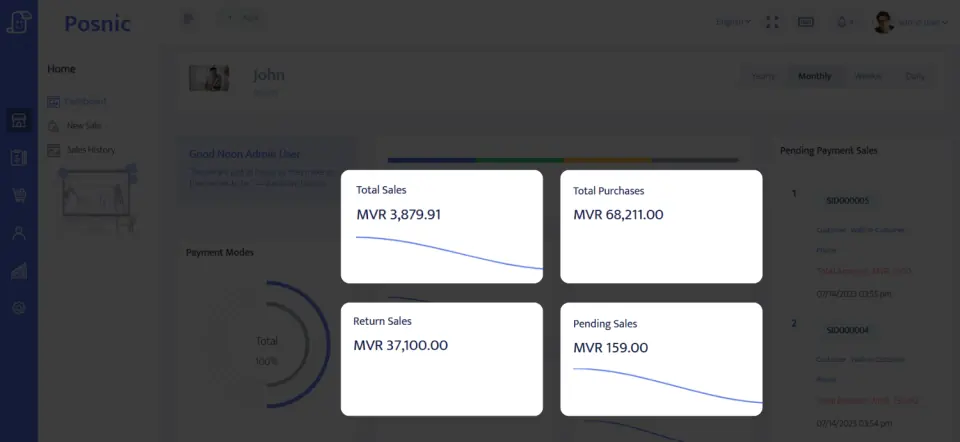
Archived Posnic evidence can be evaluated for customer records, sale lines, payment labels, stock history and reports. It does not prove complete attendance automation, child-data governance, instructor payroll, recurring payments or a live dance-school rollout.
Where Posnic fits
Posnic Community Edition can be evaluated for reception billing, student or parent records, payment labels, costume stock and owner reports. Keep class booking, attendance devices, automatic renewals, reminder campaigns, instructor payroll, child-data/privacy review and full dance-school automation outside the accepted scope until the exact workflow passes the blank record. Posnic Cloud helps only when the studio needs remote dashboard access, managed backup, multi-outlet visibility or scoped custom work.