Open-source restaurant POS evaluation
Restaurant POS for table orders and kitchen tickets
Review Posnic's table-order and KOT paths, then test one complete shift with your menu, kitchen printer and payment setup before opening.
Run the 24-control restaurant test shift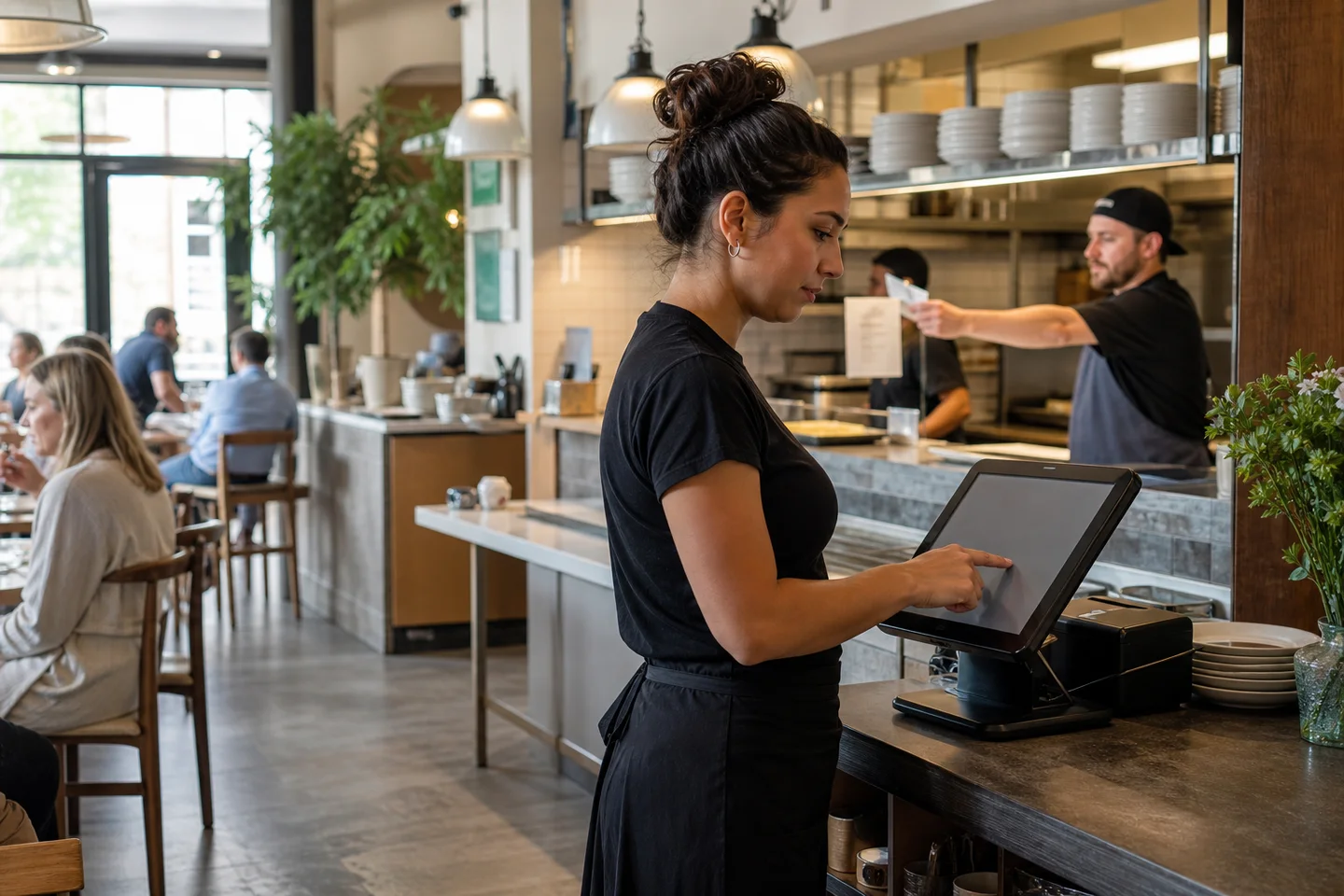
Evidence and review scope
Evidence reviewed 24 August 2026. A fixed suggestion capture across six restaurant POS seeds preserved 55 Google and 67 Bing responses. A current English-language result review examined official restaurant POS pages, while a fixed query-only Search Console cohort contained 111 relevant queries, 597 impressions and zero clicks.
Suggestions are not search volume. The Search Console export has no landing-page, country, device, position or conversion dimension, and the current-result sample is not a complete rank tracker. These signals retain the existing clean /restaurant-pos owner; they do not authorize a synonym page or a ranking claim.
Current downloads point to v1.9.0 at source commit 567a176. Reproduced restaurant evidence remains pinned to an archived evidence snapshot. Publisher-run tests and screenshots are not customer outcomes or independent certification.
Publisher disclosure: Posnic Innovations Private Limited makes Posnic POS. This page explains Posnic evidence and a reusable restaurant trial; it does not independently rank restaurant POS products or claim that Posnic is best for every restaurant.
What the stable source establishes
This page was reviewed against the published v1.9.0 source at commit 567a176b665bc9bbe4e14e72497b39e09bceda25.
Printer-based KOT
The user guide documents kitchen order tickets sent to a kitchen printer as orders are taken, before settlement.
Easy Table
The documented table workflow keeps an order open while a party continues ordering and associates the order with its table.
KOT reporting
The pinned interface contains six views: sales summary, item-wise, discount, cancellation, open item and table-wise.
KOT is not KDS evidence
The pinned user guide does not document a kitchen display system, and no KDS runtime acceptance result is published here. A kitchen-screen requirement remains unaccepted.
A focused rerun on 18 August 2026 passed 221 API unit tests across Easy Table controllers and models, sale service behavior and route controls, plus 37 desktop tests covering receipt output, the protected KOT print window, public-route boundaries, local assets and sales call paths. These are code-path checks, not a completed service or physical kitchen acceptance.
Separate the restaurant POS from the surrounding system
Current official restaurant POS pages make software plans, payment processing, hardware, KDS, support and add-ons separate decisions. Use the same separation for Posnic instead of treating one free download or a KOT label as the whole operating system.
| Decision | Published Posnic evidence | Restaurant acceptance needed |
|---|---|---|
| Software price and source | The local edition has a USD 0 software price, no trial timer and public Posnic source under AGPL-3.0-only. The packaged application also includes MongoDB Community Server under SSPL-1.0. | Price the computer, setup, training, support, backup location, optional cloud and maintenance work separately. Review the exact package and license obligations. |
| Table and kitchen flow | The pinned guide documents Easy Table and printed KOT paths; focused source tests passed, but no complete restaurant shift was run. | Exercise every service type, later round, modifier, reprint, cancellation, transfer and kitchen route with the real menu and staff. |
| Kitchen display system | The pinned guide documents a kitchen printer, not KDS. This page publishes no accepted kitchen-screen result. | If KDS is mandatory, require a demonstrated screen, station routing, status flow, outage behavior and recovery result before selecting Posnic. |
| Payments and settlement | The reproduced local sale used cash, while focused API evidence used tender labels. No terminal authorization, capture, settlement, refund or processor integration was accepted. | Test each provider and terminal independently, retain provider references and reconcile authorization, POS sale, settlement and refund records. |
| Hardware and network | The guide documents ordinary USB or network thermal printers, but no physical restaurant printer, router, drawer, display or payment terminal was connected in the recorded run. | Record exact model, driver, paper, interface, station route, power protection, spare and failure workaround. |
| Offline and recovery | One Windows local cash sale was reopened while external hosts were blocked inside Electron. A separate synthetic backup restore exists. | Repeat each approved task under real dependency failures, then restore an off-machine backup on a disposable target without duplicating orders or payments. |
| Support and implementation | Public issue and discussion paths exist; paid support, cloud work, migration, customization and rollout require an explicit scope. | Name the setup owner, urgent contact, response target, business workaround, escalation, update and rollback responsibilities in writing. |
| Country and compliance | No country-specific restaurant tax, receipt, food-service, privacy, accessibility or payment approval is claimed by this page. | Assign local legal, tax, accounting, payment and food-service review before go-live and keep the approved configuration evidence. |
Review Posnic price boundaries · Review hardware evidence · Open the report acceptance guide
Method sources: Square restaurant pricing separates plans, processing, hardware and support; Lightspeed restaurant pricing lists KDS and other plan or add-on boundaries; FloCafe's public repository shows that open-source restaurant systems can expose a different table, KDS, printing and backup scope. These examples define comparison questions; they are not endorsements or a vendor ranking.
Restaurant reports: the question each view should answer
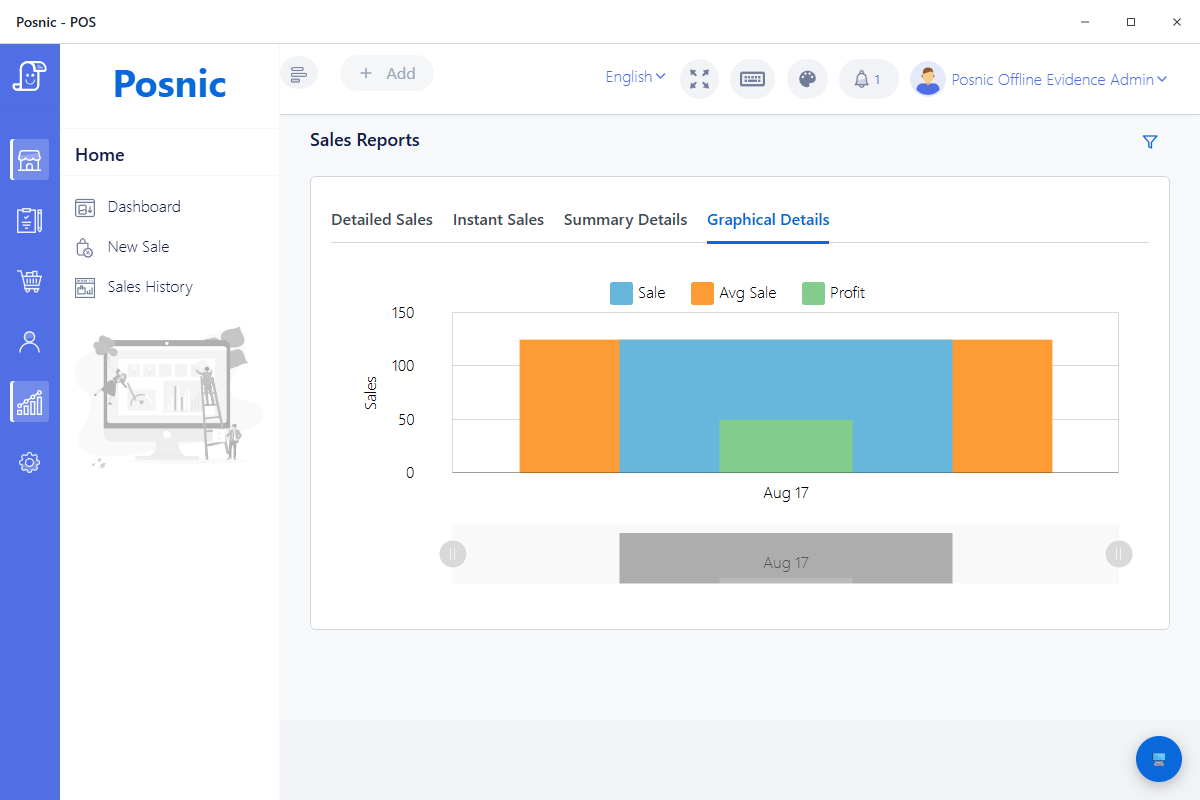
The exact Windows archived evidence run portable artifact was relaunched on 17 August 2026 with the same disposable profile used for the offline-sale test. Its graphical sales report rendered the stored synthetic sale as ₹125 sale, ₹125 average sale and ₹50 gross profit. This checks one general report view; it does not prove every filter, export or KOT report.
Do not evaluate reports by their names
Enter a small known dataset, run each service scenario, and compare the report with the tickets and payments that created it. A report is useful only when staff know which operational question it answers and can reconcile the total.
Run the outage drill after the normal-day report checks pass.
| View | Operational question | Trial assertion |
|---|---|---|
| Sales summary | How many KOT sales, guests and tender amounts were recorded for the selected period? | Known checks, guest count and tender total agree with the test shift. |
| Item-wise | Which menu items moved, and in what quantity? | One item added, removed and repeated appears with the expected net quantity. |
| Discount | Which orders or items received a discount? | Manager-approved and unapproved scenarios remain distinguishable. |
| Cancellation | What was cancelled, when and by whom? | A test cancellation remains traceable instead of disappearing from the operating record. |
| Open item | Which ad hoc or open-price items entered orders? | Description, price and approval practice are visible enough for review. |
| Table-wise | Which tables produced orders and totals? | Transfers, table reuse and closing sequence do not duplicate or strand an order. |
Built-in reporting is not the same as menu engineering
What menu engineering needs
Cornell hospitality research describes the classic method as comparing each menu item's sales volume with its contribution margin, meaning selling price less food cost. That requires trustworthy quantity and recipe-cost inputs.
archived Posnic evidence boundary
The stable documentation does not claim recipe-level ingredient depletion or a built-in popularity-versus-contribution-margin matrix. Export verified item sales and combine them with a separately maintained recipe and food-cost source when that analysis is required.
Offline billing still has connected dependencies
A reproduced Windows archived evidence run run completed and reopened a local cash sale while external hosts were blocked inside Electron. That proves a local sales path under the disclosed condition, not every restaurant dependency.
Local till
Test restart, login, table opening, KOT, settlement, stored-order lookup and closing reports with external access unavailable.
Kitchen path
Keep the till, router and printer powered; print a real ticket at every preparation station and verify routing, modifiers and reprints.
Payments
Card, wallet and QR providers have independent network rules. Document each approved fallback instead of assuming the POS makes a provider offline.
Run a restaurant trial before opening
- Create every service type the restaurant will use: dine-in, takeaway, delivery or counter sale.
- Build a representative menu with variants, taxes, modifiers or open items that reflect the real operation.
- Open two tables, add later rounds, move through the intended kitchen handoff and settle with each payment method.
- Void one item, cancel one order, apply one approved discount and confirm each action appears in the expected report.
- Print KOT and customer receipts on the exact printer model, width, driver, cable and network used at service.
- Reconcile item quantities, guest count, table totals, tax, tenders, cancellations and open orders.
- Disconnect external access and repeat the approved offline scenario.
- Create a backup and prove a restore in a disposable environment before relying on the till.
Review the complete POS buying framework · Check hardware evidence and limitations · Plan recovery
Fit and non-fit checklist
Worth a controlled trial when
You need inspectable open-source software, a local database, KOT and table-order paths, standard sales and stock records, and optional cloud services rather than a mandatory subscription.
Validate or choose another system when
You require an accepted KDS, certified payment-terminal integration, proven recipe depletion, native reservation aggregation, delivery-marketplace integrations, named hardware certification or a contracted regional compliance guarantee that Posnic has not documented.
Run a 24-control restaurant test shift
Use one known menu and table plan to follow orders from entry to kitchen handoff, payment, reports, outage and restore. Record the exact counter, printer, route, provider and observation; blank fields are not a Posnic pass.
The worksheet adds split payment, the KOT-versus-KDS decision, hardware and power, support, total cost and data-exit controls to the original service, kitchen, payment, reporting and recovery shift.
Primary sources used
archived Posnic evidence
The stable release fixes the product, build and download boundary used in this review.
Pinned restaurant guide
The versioned guide documents KOT printing and Easy Table open-order tracking.
Pinned KOT reports
The stable interface identifies the six KOT report views discussed on this page.
PCI SSC FAQ 1300
Current primary guidance places payment terminals in the cardholder-data environment and requires applicable device controls.
NIST SP 800-34 Rev. 1
Primary contingency-planning guidance supports explicit recovery requirements, strategies, tests and maintenance.
Cornell research record
The research record distinguishes menu and revenue analysis inputs from a POS report name. Posnic does not claim built-in recipe costing.
Square restaurant pricing
The official page separates software plans, payment-processing fees, hardware and support. It informs the decision categories here, not a Posnic ranking.
Lightspeed restaurant pricing
The official page separates plans and add-ons, including KDS per screen. It supports keeping KOT and KDS as different acceptance decisions.
FloCafe public repository
The current open-source project documents tables, KDS, printing, local data and backups, demonstrating that source-available restaurant products still need scope-by-scope comparison.
Free local edition, optional cloud
The local desktop application is published under AGPL-3.0 with no trial clock. Cloud sync, managed off-site backup and remote dashboards are separate optional services.
Restaurant POS questions
Does Posnic include kitchen order tickets and table orders?
The archived guide documents KOT and Easy Table. Those source paths were reviewed for this page, but a full restaurant shift and physical kitchen printer were not exercised in the runtime evidence run.
Is a kitchen display system included with Posnic KOT?
No. The archived guide documents KOT sent to a kitchen printer; it does not document KDS. No kitchen-display runtime result is published here, so a required KDS remains an unaccepted go-live control.
Which restaurant reports are visible?
The pinned KOT report interface contains sales-summary, item-wise, discount, cancellation, open-item and table-wise views. Populate known test orders and reconcile every view before rollout.
Does Posnic include recipe-level menu engineering?
The stable documentation does not claim recipe-level depletion or a built-in menu-engineering matrix. Combine verified item sales with separately maintained food-cost data when contribution-margin analysis is required.
Can restaurant billing continue without internet?
A Windows archived local cash sale was reproduced under Electron external-host isolation. Payment providers, cloud services, kitchen printers and the local network need their own outage drill.