Free data migration
Already running another POS? We move your shop across, free.
If you bill on Vyapar, myBillBook, Marg, Tally, GoFrugal or a spreadsheet, you should not have to retype a thousand products to try something else. Send us an export and Posnic moves your products, customers, suppliers, stock and outstanding balances across at no charge.
Send an export file, never a password. Keep logins for your current system, payment credentials and bank details out of the first message.
What comes across
Your shop, not just your product list
Most migrations fail on the parts nobody exported: the credit customer who is owed money, the batch expiry, the supplier rate. These are the things worth carrying.
- Products and pricesName, code, barcode, purchase and selling price, tax rate, unit and category.
- Customers and suppliersContact details, and the outstanding balance each one carries today.
- Stock on handCurrent quantity per item, so your first day-close in Posnic reconciles.
- History for referencePast bills can be carried as reference records where the export contains them.
How it works
Four steps, and you approve before anything goes live
1. Tell us what you run
Fill the form above with your current software, rough product count and what has to move. This is enough for us to say whether the export will be readable.
2. Send an export
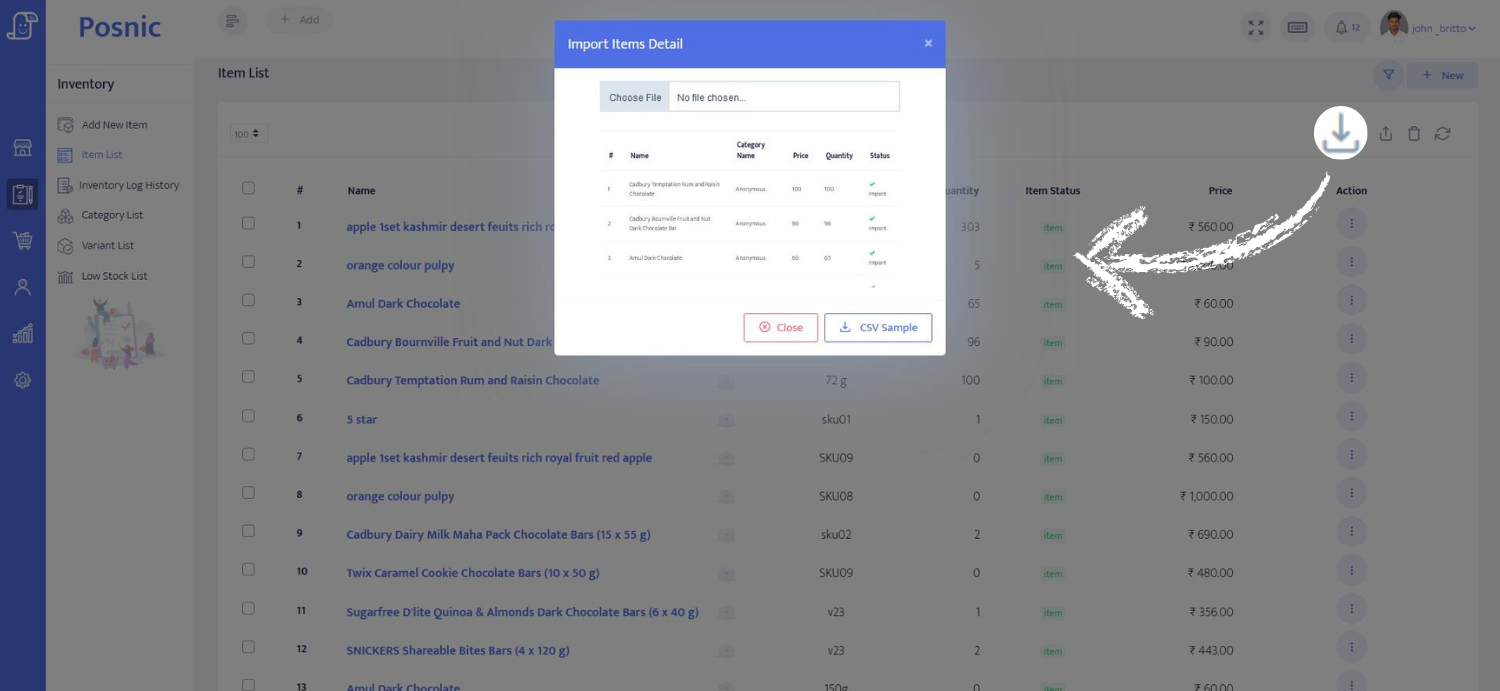
Most systems export to Excel or CSV. If yours does not, or you cannot find it, we work it out with you in a scheduled session where you stay at the controls.
3. We map and test-import
Columns are matched to Posnic fields and loaded into a copy. This is where merged columns, missing tax rates and duplicate barcodes surface, and we tell you what we found.
4. You check, then it goes live
You compare a sample against your own records: product count, a few prices, the balances you know by heart. It becomes your live data only after that.
Questions
What shop owners ask before switching
Is the migration really free?
Moving your data across costs nothing. Posnic reads the export from your current system, maps the columns and loads products, customers, suppliers, stock and outstanding balances into Posnic. Paid implementation work such as hardware setup and staff training is separate and is only chargeable when Posnic states the scope and price in writing and you accept it.
Which systems can Posnic move data from?
Any system that can produce an export file. That includes Vyapar, myBillBook, Marg, Tally, Busy, GoFrugal, Zoho, Petpooja, QuickBooks and plain Excel or CSV. Where a system has no export at all, Posnic will say so before you commit rather than after.
Do you need my current software password?
No. Posnic asks for an export file, not a login. Do not send passwords for your current system, payment credentials or bank details. If a file cannot be exported without help, that is handled in a scheduled session where you stay at the controls.
What if the numbers do not match after the import?
The import is loaded into a copy first and you check a sample against your own records before it becomes live data. Nothing replaces your existing system until you have compared the counts and confirmed them.
How long does a migration take?
This page makes no fixed timing promise. A clean product and customer export is usually straightforward; incomplete files, merged columns and unreconciled balances take longer. Posnic confirms the realistic timing in writing once the actual file has been seen.